Python爬取十篇新闻统计TF-IDF
统计十篇新闻TF-IDF
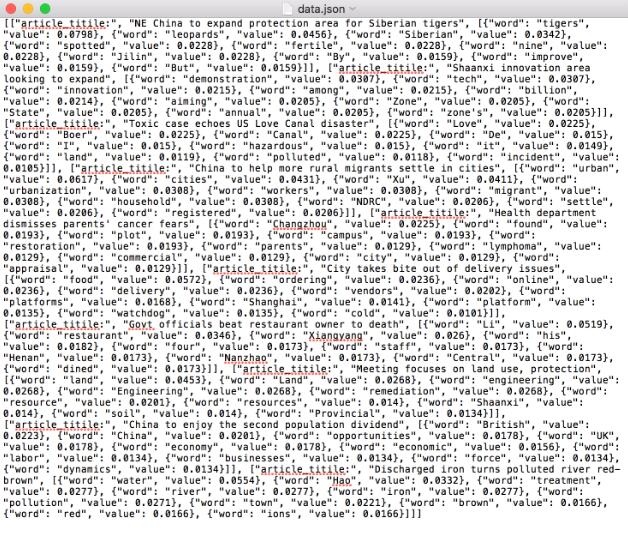
统计TF-IDF词频,每篇文章的 top10 的高频词存储为 json 文件
TF-IDF
TF-IDF(term frequency–inverse document frequency)是一种用于资讯检索与文本挖掘的常用加权技术。TF-IDF是一种统计方法,用以评估一字词对于一个文件集或一个语料库中的其中一份文件的重要程度。字词的重要性随着它在文件中出现的次数成正比增加,但同时会随着它在语料库中出现的频率成反比下降。TF-IDF加权的各种形式常被搜索引擎应用,作为文件与用户查询之间相关程度的度量或评级。除了TF-IDF以外,互联网上的搜索引擎还会使用基于连结分析的评级方法,以确定文件在搜寻结果中出现的顺序。
假如一篇文件的总词语数是100个,而词语“母牛”出现了3次,那么“母牛”一词在该文件中的词频就是3/100=0.03。一个计算文件频率(DF)的方法是测定有多少份文件出现过“母牛”一词,然后除以文件集里包含的文件总数。所以,如果“母牛”一词在1,000份文件出现过,而文件总数是10,000,000份的话,其逆向文件频率就是log(10,000,000 / 1,000)=4。最后的TF-IDF的分数为0.03 * 4=0.12。 —— [ 维基百科 ]
博主选择的是chinadaily的十篇新闻.
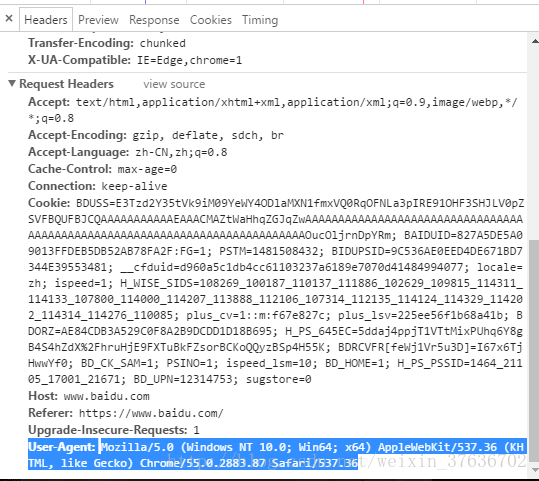
1.使用http request请求
2.使用Beautiful Soup来抓取文章标题和内容
3.统计TF-IDF
4.保存到json文件中
代码块
@requires_authorization
#coding=utf-8

import requests
import bs4
import sys
import math
import json
reload(sys)
sys.setdefaultencoding('utf-8')

url_list = ['http://www.chinadaily.com.cn/china/2016-04/20/content_24701635.htm',
      'http://www.chinadaily.com.cn/china/2016-04/20/content_24700746.htm',
      'http://www.chinadaily.com.cn/china/2016-04/20/content_24681482.htm',
      'http://www.chinadaily.com.cn/china/2016-04/19/content_24675530.htm',
      'http://www.chinadaily.com.cn/china/2016-04/19/content_24675455.htm',
      'http://www.chinadaily.com.cn/china/2016-04/19/content_24674074.htm',
      'http://www.chinadaily.com.cn/china/2016-04/19/content_24655536.htm',
      'http://www.chinadaily.com.cn/china/2016-04/18/content_24643685.htm',
      'http://www.chinadaily.com.cn/china/2016-04/18/content_24636917.htm',
      'http://www.chinadaily.com.cn/china/2016-04/15/content_24562198.htm'
      ]

articles_title = []
articles_content = []

for pos,url in enumerate(url_list):
  r = requests.get(url)
  soup1 = bs4.BeautifulSoup(r.text)
  soup2 = bs4.BeautifulSoup(str(soup1.find_all(id="Title_e")))
  articles_title.append(soup2.h1.string)
  mystr = ""
  soup3 = bs4.BeautifulSoup(str(soup1.find_all(id="Content")))
  for x in soup3.find_all("p"):
    mystr = mystr + x.string

  str_p = ""
  contents = []
  for pos,x in enumerate(mystr):
    if x == '.' or x == ',':
      if pos < (len(mystr) - 1) and mystr[pos+1] >= '0' and mystr[pos+1] <= '9':
        str_p = str_p + x
      elif str_p == "":
        continue
      else:
        contents.append(str_p)
        str_p = ""
    elif x == '(' or x == ')' or x == ' ' or x == '"' or x == '[' or x == ']' or x == '-':
      if str_p == "":
        continue
      else:
        contents.append(str_p)
        str_p = ""
    else:
      str_p = str_p + x

  articles_content.append(contents)

Dict_idf = {}
DictList = []

for content in articles_content:
  Dict_tf = {}
  for x in content:
    if not Dict_tf.has_key(x):
      Dict_tf[x] = 1.0
      if not Dict_idf.has_key(x):
        Dict_idf[x] = 1.0
      else:
        Dict_idf[x] += 1.0
    else:
      Dict_tf[x] += 1.0

  for k, v in Dict_tf.items():
    Dict_tf[k] = v / len(content)

  DictList.append(Dict_tf)

for k, v in Dict_idf.items():
  Dict_idf[k] = math.log(float(len(url_list)) / v)

for pos,x in enumerate(DictList):
  for k,v in x.items():
    DictList[pos][k] = v*Dict_idf[k]
  DictList[pos] = sorted(x.iteritems(), key=lambda d: d[1], reverse=True)

"""
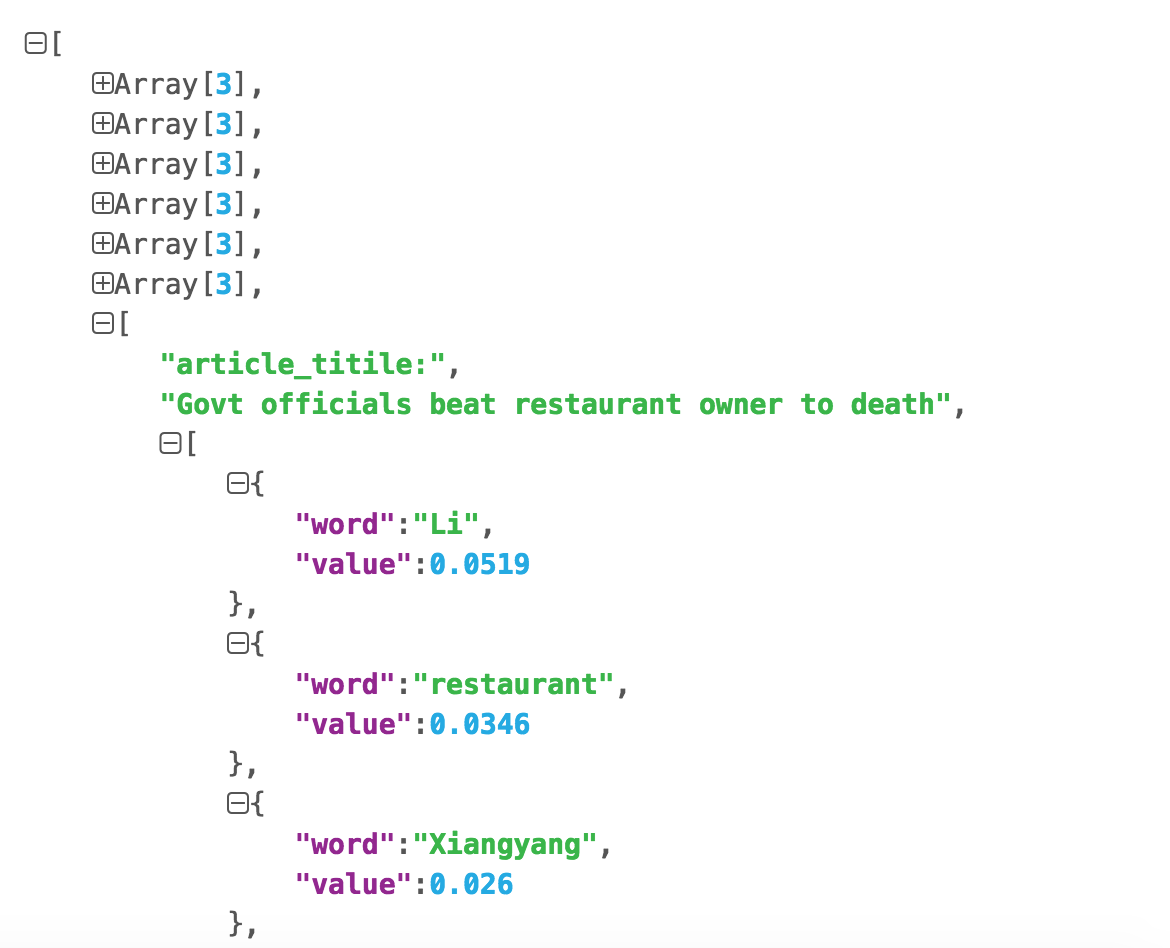
[
  [
    article_titile:"XXXX"
    [
      {
        word:"hello"
        value:3.5
      }
      {
        word:"hello"
        value:3.5
      }
      {
        word:"hello"
        value:3.5
      }
      ...
    ]
  ]
]
"""

data = []
for pos in range(10):
  data2=[]
  data2.append("article_titile:")
  data2.append(articles_title[pos])
  data2.append([{"word": k,"value":round(v,4)} for k,v in DictList[pos][:10]])
  data.append(data2)

# Writing JSON data
with open('data.json', 'w') as f:
  json.dump(data, f)
使用json.cn查看数据:
github地址:https://github.com/mqsee/learngit
以上就是本文的全部内容,希望对大家的学习有所帮助,也希望大家多多支持【听图阁-专注于Python设计】。