Python抓取Discuz!用户名脚本代码
最近学习Python,于是就用Python写了一个抓取Discuz!用户名的脚本,代码很少但是很搓。思路很简单,就是正则匹配title然后提取用户名写入文本文档。程序以百度站长社区为例(一共有40多万用户),挂在VPS上就没管了,虽然用了延时但是后来发现一共只抓取了50000多个用户名就被封了。。。
代码如下:
复制代码 代码如下:
# -*- coding: utf-8 -*-
# Author: 天一
# Blog: http://www.90blog.org
# Version: 1.0
# 功能: Python抓取百度站长平台用户名脚本
import urllib
import urllib2
import re
import time
def BiduSpider():
pattern = re.compile(r'<title>(.*)的个人资料 百度站长社区 </title>')
uid=1
thedatas = []
while uid <400000:
theUrl = "http://bbs.zhanzhang.baidu.com/home.php?mod=space&uid="+str(uid)
uid +=1
theResponse = urllib2.urlopen(theUrl)
thePage = theResponse.read()
#正则匹配用户名
theFindall = re.findall(pattern,thePage)
#等待0.5秒,以防频繁访问被禁止
time.sleep(0.5)
if theFindall :
#中文编码防止乱码输出
thedatas = theFindall[0].decode('utf-8').encode('gbk')
#写入txt文本文档
f = open('theUid.txt','a')
f.writelines(thedatas+'\n')
f.close()
if __name__ == '__main__':
BiduSpider()
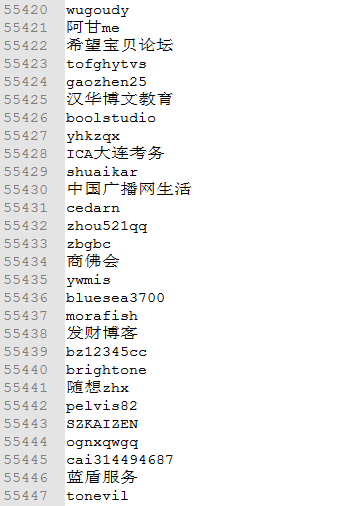
最终成果如下: