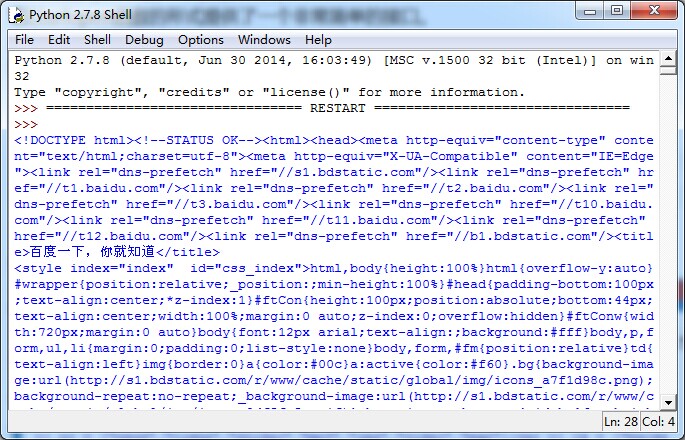
实例讲解Python爬取网页数据
一、利用webbrowser.open()打开一个网站:
>>> import webbrowser
>>> webbrowser.open('http://i.firefoxchina.cn/?from=worldindex')
True
实例:使用脚本打开一个网页。
所有Python程序的第一行都应以#!python开头,它告诉计算机想让Python来执行这个程序。(我没带这行试了试,也可以,可能这是一种规范吧)
1.从sys.argv读取命令行参数:打开一个新的文件编辑器窗口,输入下面的代码,将其保存为map.py。
2.读取剪贴板内容:
3.调用webbrowser.open()函数打开外部浏览:
#! python3
import webbrowser, sys, pyperclip
if len(sys.argv) > 1:
 mapAddress = ''.join(sys.argv[1:])
else:
 mapAddress = pyperclip.paste()
webbrowser.open('http://map.baidu.com/?newmap=1&ie=utf-8&s=s%26wd%3D' + mapAddress
注:不清楚sys.argv用法的,请参考这里;不清楚.join()用法的,请参考这里。sys.argv是字符串的列表,所以将它传递给join()方法返回一个字符串。
好了,现在选中'天安门广场'这几个字并复制,然后到桌面双击你的程序。当然你也可以在命令行找到你的程序,然后输入地点。
二、用requests模块从Web下载文件:requests模块不是Python自带的,通过命令行运行pip install request安装。没翻墙是很难安装成功的,手动安装可以参考这里。
>>> import requests
>>> res = requests.get('http://i.firefoxchina.cn/?from=worldindex') #向get中传入一个网址
>>> type(res) #响应对象
<class 'requests.models.Response'>
>>> print(res.status_code) #响应码
200
>>> res.text #返回的文本
requests中查看网上下载的文件内容的方法还有很多,如果以后的博客用的到,会做说明,在此不再一一介绍。在下载文件的过程中,用raise_for_status()方法可以确保下载确实成功,然后再让程序继续做其他事情。
import requests
res = requests.get('http://i.firefoxchina.cn/?from=worldindex')
try:
 res.raise_for_status()
except Exception as exc:
 print('There was a problem: %s' % (exc))
三、将下载的文件保存到本地:
>>> import requests
>>> res = requests.get('http://tech.firefox.sina.com/17/0820/10/6DKQALVRW5JHGE1I.html##0-tsina-1-13074-397232819ff9a47a7b7e80a40613cfe1')
>>> res.raise_for_status()
>>> file = open('1.txt', 'wb') #以写二进制模式打开文件,目的是保存文本中的“Unicode编码”
>>> for word in res.iter_content(100000): #<span class="fontstyle0"><span class="fontstyle0">iter_content()</span><span class="fontstyle1">方法在循环的每次迭代中返回一段</span><span class="fontstyle0">bytes</span><span class="fontstyle1">数据</span><span class="fontstyle1">类型的内容,你需要指定其包含的字节数</span></span>
 file.write(word)


16997
>>> file.close()
四、用BeautifulSoup模块解析HTML:在命令行中用pip install beautifulsoup4安装它。
1.bs4.BeautifulSoup()函数可以解析HTML网站链接requests.get(),也可以解析本地保存的HTML文件,直接open()一个本地HTML页面。
>>> import requests, bs4
>>> res = requests.get('http://i.firefoxchina.cn/?from=worldindex')
>>> res.raise_for_status()
>>> soup = bs4.BeautifulSoup(res.text)

Warning (from warnings module):
 File "C:\Users\King\AppData\Local\Programs\Python\Python36-32\lib\site-packages\beautifulsoup4-4.6.0-py3.6.egg\bs4\__init__.py", line 181
 markup_type=markup_type))
UserWarning: No parser was explicitly specified, so I'm using the best available HTML parser for this system ("html.parser"). This usually isn't a problem, but if you run this code on another system, or in a different virtual environment, it may use a different parser and behave differently.

The code that caused this warning is on line 1 of the file <string>. To get rid of this warning, change code that looks like this:

 BeautifulSoup(YOUR_MARKUP})

to this:

 BeautifulSoup(YOUR_MARKUP, "html.parser")

>>> soup = bs4.BeautifulSoup(res.text, 'html.parser')
>>> type(soup)
<class 'bs4.BeautifulSoup'>
我这里有错误提示,所以加了第二个参数。
>>> import bs4
>>> html = open('C:\\Users\\King\\Desktop\\1.htm')
>>> exampleSoup = bs4.BeautifulSoup(html)
>>> exampleSoup = bs4.BeautifulSoup(html, 'html.parser')
>>> type(exampleSoup)
<class 'bs4.BeautifulSoup'>
2.用select()方法寻找元素:需传入一个字符串作为CSS“选择器”来取得Web页面相应元素,例如:
soup.select('div'):所有名为<div>的元素;
soup.select('#author'):带有id属性为author的元素;
soup.select('.notice'):所有使用CSS class属性名为notice的元素;
soup.select('div span'):所有在<div>元素之内的<span>元素;
soup.select('input[name]'):所有名为<input>并有一个name属性,其值无所谓的元素;
soup.select('input[type="button"]'):所有名为<input>并有一个type属性,其值为button的元素。
想查看更多的解析器,请参看这里。
>>> import requests, bs4
>>> res = requests.get('http://i.firefoxchina.cn/?from=worldindex')
>>> res.raise_for_status()
>>> soup = bs4.BeautifulSoup(res.text, 'html.parser')
>>> author = soup.select('#author')
>>> print(author)
[]
>>> type(author)
<class 'list'>
>>> link = soup.select('link ')
>>> print(link)
[<link href="css/mozMainStyle-min.css?v=20170705" rel="external nofollow" rel="external nofollow" rel="stylesheet" type="text/css"/>, <link href="" id=" rel="external nofollow" rel="external nofollow" rel="external nofollow" moz-skin" rel="stylesheet" type="text/css"/>, <link href="" id=" rel="external nofollow" rel="external nofollow" rel="external nofollow" moz-dir" rel="stylesheet" type="text/css"/>, <link href="" id=" rel="external nofollow" rel="external nofollow" rel="external nofollow" moz-ver" rel="stylesheet" type="text/css"/>]
>>> type(link)
<class 'list'>
>>> len(link)
4
>>> type(link[0])
<class 'bs4.element.Tag'>
>>> link[0]
<link href="css/mozMainStyle-min.css?v=20170705" rel="external nofollow" rel="external nofollow" rel="stylesheet" type="text/css"/>
>>> link[0].attrs
{'rel': ['stylesheet'], 'type': 'text/css', 'href': 'css/mozMainStyle-min.css?v=20170705'}
3.通过元素的属性获取数据:接着上面的代码写。
>>> link[0].get('href')
'css/mozMainStyle-min.css?v=20170705
上面这些方法也算是对“网络爬虫”的一些初探。