python实现雨滴下落到地面效果
本文实例为大家分享了python实现雨滴下落到地面效果的具体代码,供大家参考,具体内容如下
本程序在Windows 64位操作系统下,安装的是Anaconda3-4.2.0
import numpy as np
import matplotlib.pyplot as plt
from matplotlib import animation

# New figure with white background
fig = plt.figure(figsize=(6,6), facecolor='white')

# New axis over the whole figure, no frame and a 1:1 aspect ratio
ax = fig.add_axes([0, 0, 1, 1], frameon=False, aspect=1)

# Number of ring
n = 50
size_min = 50
size_max = 50 ** 2

# Ring position
pos = np.random.uniform(0, 1, (n,2))

# Ring colors
color = np.ones((n,4)) * (0,0,0,1)
# Alpha color channel geos from 0(transparent) to 1(opaque)
color[:,3] = np.linspace(0, 1, n)

# Ring sizes
size = np.linspace(size_min, size_max, n)

# Scatter plot
scat = ax.scatter(pos[:,0], pos[:,1], s=size, lw=0.5, edgecolors=color, facecolors='None')

# Ensure limits are [0,1] and remove ticks
ax.set_xlim(0, 1), ax.set_xticks([])
ax.set_ylim(0, 1), ax.set_yticks([])

def update(frame):
  global pos, color, size

  # Every ring is made more transparnt
  color[:, 3] = np.maximum(0, color[:,3]-1.0/n)

  # Each ring is made larger
  size += (size_max - size_min) / n

  # Reset specific ring
  i = frame % 50
  pos[i] = np.random.uniform(0, 1, 2)
  size[i] = size_min
  color[i, 3] = 1

  # Update scatter object
  scat.set_edgecolors(color)
  scat.set_sizes(size)
  scat.set_offsets(pos)

  # Return the modified object
  return scat,

anim = animation.FuncAnimation(fig, update, interval=10, blit=True, frames=200)
plt.show()
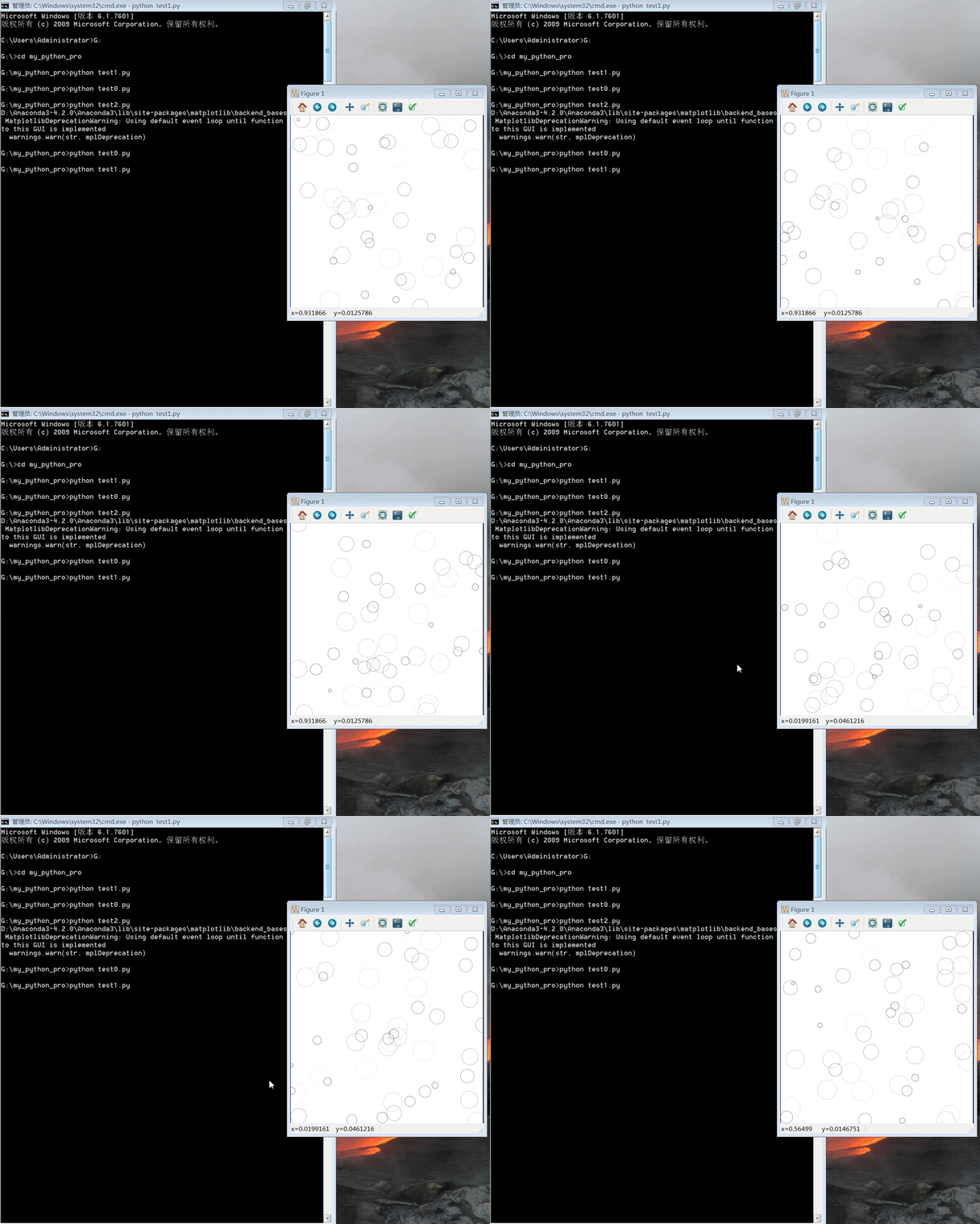
效果图:
以上就是本文的全部内容,希望对大家的学习有所帮助,也希望大家多多支持【听图阁-专注于Python设计】。