python 实现turtle画图并导出图片格式的文件
如下所示:
from turtle import*
import turtle
setup(800,700,300,50)
penup()
seth(90)
fd(100)
seth(0)
fd(-200)
pendown()
pensize(3)
pencolor("black")
seth(0)
fd(210)
seth(90)
fd(20)
seth(115)
circle(120,129)
seth(270)
fd(20)
seth(270)
fd(15)
seth(0)
fd(217)
seth(90)
fd(19)
penup()
seth(150)
fd(155)
pendown()
pencolor("blue")
pensize(2)
seth(200)
circle(70,40)
circle(5,40)
circle(20,90)
circle(10,140)
fd(5)
seth(330)
circle(-10,140)
seth(120)
circle(5,40)
seth(160)
circle(-30,30)
seth(65)
circle(-70,50)
penup()
seth(10)
fd(25)
seth(-25)
pendown()
circle(-70,40)
circle(-5,40)
circle(-20,90)
circle(-10,140)
seth(-30)
circle(5,40)
seth(180)
seth(225)
fd(-5)
seth(140)
circle(17,260)
seth(5)
circle(28,120)
penup()
seth(200)
fd(150)
seth(210)
fd(30)
seth(270)
fd(30)
seth(0)
fd(18)
pendown()
pencolor("black")
seth(270)
fd(160)
seth(0)
fd(70)
seth(0)
fd(50)
seth(90)


fd(160)
ts = turtle.getscreen()
ts.getcanvas().postscript(file="work.eps")
PostScript是一种页面描述语言,主要用于高质量打印。
# 以下代码,将画好的图案按指定格式保存到当前文件目录
# 可以使用 .eps格式,对于.jpg格式,即使生成图片,也因为jpeg标识符段长度太短,导致文件不完整无法打开。
ts = turtle.getscreen()
ts.getcanvas().postscript(file="work.eps")
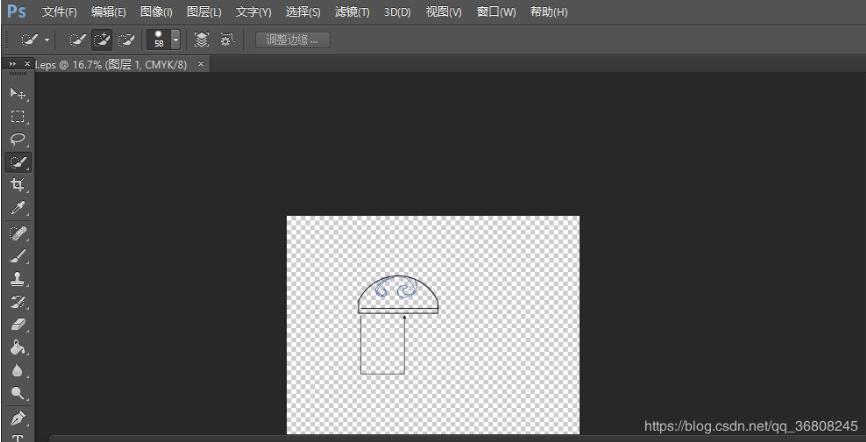
#在当前工作目录下生成work.eps格式图片,这种格式使用photoshop可以打开。生成过程中控制台会输出如下语句:
'-81.1893121271068 426.860206316411 moveto\n-86.1893121271068 417.860206316411 lineto\n-81.1893121271068 419.860206316411 lineto\n-76.1893121271068 417.860206316411 lineto\n-81.1893121271068 426.860206316411 lineto\n0.000 0.000 0.000 setrgbcolor AdjustColor\neofill\n-81.1893121271068 426.860206316411 moveto\n-86.1893121271068 417.860206316411 lineto\n-81.1893121271068 419.860206316411 lineto\n-76.1893121271068 417.860206316411 lineto\n-81.1893121271068 426.860206316411 lineto\n1 setlinejoin 1 setlinecap\n1 setlinewidth\n[] 0 setdash\n0.000 0.000 0.000 setrgbcolor AdjustColor\nstroke\n'
有可能是你的绘图痕迹。
ts.getcanvas().postscript(file=r"C:\work.eps")
#这样就是指定图片生成的位置为c盘下了。
以上这篇python 实现turtle画图并导出图片格式的文件就是小编分享给大家的全部内容了,希望能给大家一个参考,也希望大家多多支持【听图阁-专注于Python设计】。