OpenCV哈里斯(Harris)角点检测的实现
环境
pip install opencv-python==3.4.2.16

pip install opencv-contrib-python==3.4.2.16
理论
克里斯·哈里斯(Chris Harris)和迈克·史蒂芬斯(Mike Stephens)在1988年的论文《组合式拐角和边缘检测器》中做了一次尝试找到这些拐角的尝试,所以现在将其称为哈里斯拐角检测器。
函数:cv2.cornerHarris(),cv2.cornerSubPix()
示例代码
import cv2
import numpy as np

filename = 'molecule.png'
img = cv2.imread(filename)
gray = cv2.cvtColor(img,cv2.COLOR_BGR2GRAY)

gray = np.float32(gray)
dst = cv2.cornerHarris(gray,2,3,0.04)

#result is dilated for marking the corners, not important
dst = cv2.dilate(dst,None)

# Threshold for an optimal value, it may vary depending on the image.
img[dst>0.01*dst.max()]=[0,0,255]

cv2.imshow('dst',img)
if cv2.waitKey(0) & 0xff == 27:
  cv2.destroyAllWindows()
原图
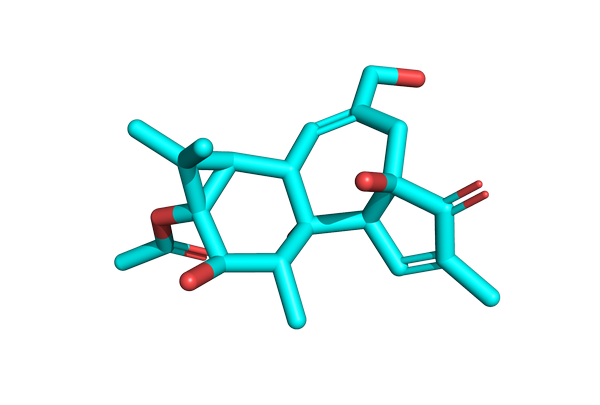
输出图

SubPixel精度的角落
import cv2
import numpy as np

filename = 'molecule.png'
img = cv2.imread(filename)
gray = cv2.cvtColor(img,cv2.COLOR_BGR2GRAY)

# find Harris corners
gray = np.float32(gray)
dst = cv2.cornerHarris(gray,2,3,0.04)
dst = cv2.dilate(dst,None)
ret, dst = cv2.threshold(dst,0.01*dst.max(),255,0)
dst = np.uint8(dst)

# find centroids
ret, labels, stats, centroids = cv2.connectedComponentsWithStats(dst)

# define the criteria to stop and refine the corners
criteria = (cv2.TERM_CRITERIA_EPS + cv2.TERM_CRITERIA_MAX_ITER, 100, 0.001)
corners = cv2.cornerSubPix(gray,np.float32(centroids),(5,5),(-1,-1),criteria)

# Now draw them
res = np.hstack((centroids,corners))
res = np.int0(res)
img[res[:,1],res[:,0]]=[0,0,255]
img[res[:,3],res[:,2]] = [0,255,0]

cv2.imwrite('subpixel5.png',img)
输出图

参考
以上就是本文的全部内容,希望对大家的学习有所帮助,也希望大家多多支持【听图阁-专注于Python设计】。