Python实现改变与矩形橡胶的线条的颜色代码示例
与矩形相交的线条颜色为红色,其他为蓝色。
演示如下:
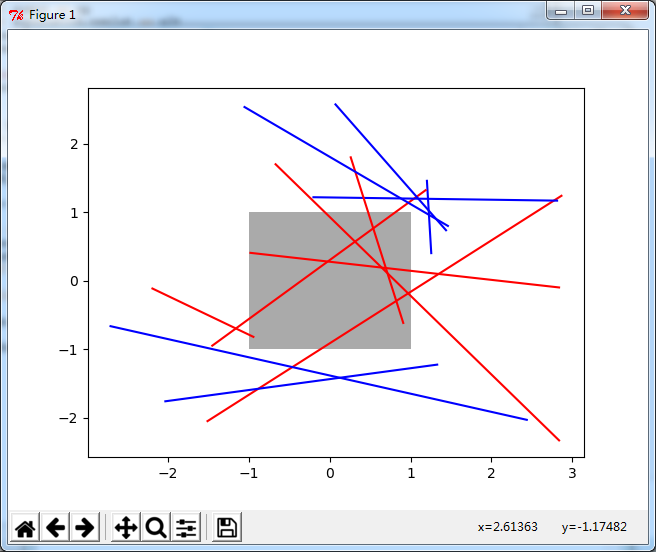
实例代码如下:
import numpy as np
import matplotlib.pyplot as plt
from matplotlib.transforms import Bbox
from matplotlib.path import Path

# Fixing random state for reproducibility
np.random.seed(19680801)


left, bottom, width, height = (-1, -1, 2, 2)
rect = plt.Rectangle((left, bottom), width, height, facecolor="#aaaaaa")

fig, ax = plt.subplots()
ax.add_patch(rect)

bbox = Bbox.from_bounds(left, bottom, width, height)

for i in range(12):
  vertices = (np.random.random((2, 2)) - 0.5) * 6.0
  path = Path(vertices)
  if path.intersects_bbox(bbox):
    color = 'r'
  else:
    color = 'b'
  ax.plot(vertices[:, 0], vertices[:, 1], color=color)

plt.show()
脚本运行时间:(0分0.026秒)
总结
以上就是本文关于Python实现改变与矩形橡胶的线条的颜色代码示例的全部内容,希望对大家有所帮助。感兴趣的朋友可以继续参阅本站:
Python matplotlib画图实例之绘制拥有彩条的图表
如有不足之处,欢迎留言指出。感谢朋友们对本站的支持!