Python爬虫爬取一个网页上的图片地址实例代码
本文实例主要是实现爬取一个网页上的图片地址,具体如下。
读取一个网页的源代码:
import urllib.request
def getHtml(url):
  html=urllib.request.urlopen(url).read()
  return html
print(getHtml(http://image.baidu.com/search/flip?tn=baiduimage&ie=utf-8&word=%E5%A3%81%E7%BA%B8&ct=201326592&lm=-1&v=flip))
利用正则表达式爬取一个网页上的图片地址:
import re
import urllib.request
def getHtml(url):
  html=urllib.request.urlopen(url).read()
  return html
def getImg(html):
  r=r'"thumbURL":"(http://img.+?\.jpg)"' #定义正则
  imglist=re.findall(r,html)
  return imglist
html=str(getHtml("http://image.baidu.com/search/flip?tn=baiduimage&ie=utf-8&word=%E5%A3%81%E7%BA%B8&ct=201326592&lm=-1&v=flip"))
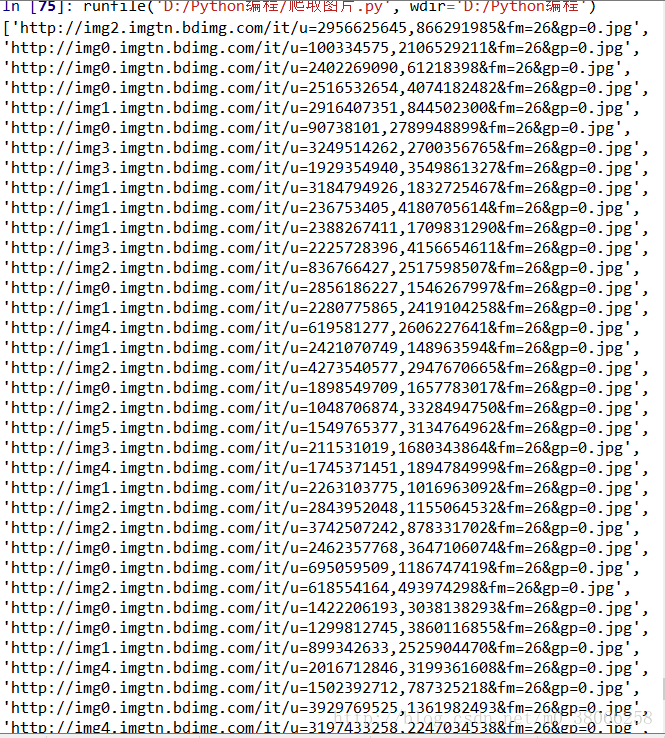
print(getImg(html))
运行结果:
总结
以上就是本文关于Python爬虫爬取一个网页上的图片地址实例代码的全部内容,希望对大家有所帮助。感兴趣的朋友可以继续参阅本站其他相关专题,如有不足之处,欢迎留言指出。感谢朋友们对本站的支持!